This comprehensive guide provides step-by-step instructions for businesses looking to establish and grow their brand on Noon.com, the Middle East’s leading e-commerce platform. Learn everything from initial brand registration to getting approved and creating optimized product listings that drive sales.
The e-commerce landscape in the Middle East has exploded in recent years, and Noon.com has positioned itself as one of the region’s leading online marketplaces. If you want to sell your products online in the UAE, Saudi Arabia, and Egypt, Noon offers a powerful platform with millions of potential customers. However, succeeding on Noon requires more than just signing up you must understand brand registration, brand approval, and effective product listing strategies. In this detailed guide, we’ll walk you through each step clearly and practically.
Introduction to Noon.com: The Middle East’s E-Commerce Powerhouse
Noon.com has rapidly emerged as one of the most significant e-commerce platforms in the Middle East since its 2017 launch. Founded by Emirati businessman Mohamed Alabbar with substantial backing from Saudi Arabia’s Public Investment Fund, Noon represents a strategic effort to dominate the region’s growing digital marketplace, currently valued at over $20 billion and projected to reach $50 billion by 2025.
What sets Noon apart in the competitive e-commerce landscape is its deep understanding of Middle Eastern consumer behavior, preferences, and cultural nuances. Unlike global platforms that offer a standardized experience, Noon has tailored its approach specifically for the GCC markets (UAE, Saudi Arabia, Egypt, Bahrain, Oman, Kuwait, and Qatar) and beyond, offering Arabic-first navigation, regional payment methods including cash-on-delivery, and products that resonate with local tastes.
At its core, Noon.com is a marketplace similar to Amazon or eBay, where third-party sellers can list products for sale alongside Noon-sold items. Noon’s mission is to connect sellers with millions of online shoppers while ensuring quality, genuine products, and a seamless shopping experience.
The platform operates multiple business models simultaneously:
- Noon Retail: Direct inventory sold by Noon
- Noon Marketplace: Third-party sellers offering products
- Noon Daily: Grocery and fast-moving consumer goods
- Noon Food: Food delivery service
- Noon VIP: Premium subscription service with benefits
For businesses, Noon represents an unparalleled opportunity to access millions of potential customers across a region with high smartphone penetration (over 70%), youthful demographics (approximately 60% under 30), and growing digital literacy. The platform attracts over 30 million monthly visitors and has shown consistent year-over-year growth exceeding 40% in key markets.
Understanding Noon’s ecosystem is crucial before embarking on your selling journey. The platform emphasizes quality, customer experience, and brand value over sheer volume, which directly impacts their seller approval processes and ongoing partnership requirements.
Before jumping into selling, it’s essential to understand the seller onboarding process, particularly brand registration and approval.
Why Register Your Brand?
Before you can sell a single product on Noon, you must establish your brand presence on the platform. Brand registration serves multiple purposes:
- Brand Protection: Prevents unauthorized sellers from listing your products
- Enhanced Visibility: Registered brands appear in Noon’s brand directory
- Marketing Opportunities: Eligibility for platform-led promotional campaigns
- Customer Trust: Verified brands display trust badges, increasing conversion rates
- Content Control: Authority over product descriptions, images, and pricing
Prerequisites for Brand Registration
Ensure you have the following documentation ready before beginning the registration process:
- Trademark Certificate: GCC registration preferred, but international trademarks are accepted
- Business License: Valid trade license from your country of operation
- Brand Logo: High-resolution PNG or JPEG file with transparent background
- Brand Story: 150-300 word description of your brand’s history and values
- Contact Information: Official email, phone number, and business address
- Authorization Letter: If applying through a distributor or representative
How Noon Seller Registration Works
Step 1: Sign Up & Create Your Organization ID
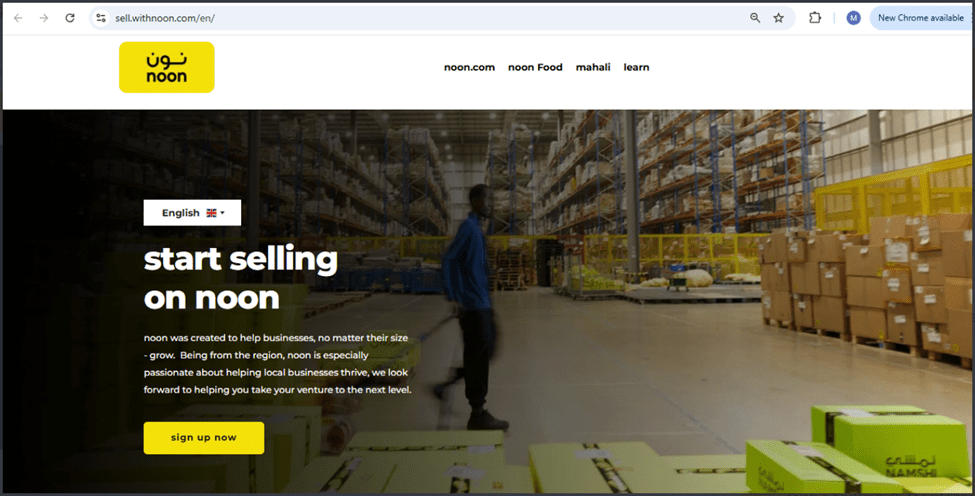
- Visit the Noon Seller Portal and click “Sign Up”.
- Provide your business email and verify it using the One-Time Password (OTP) that Noon sends.
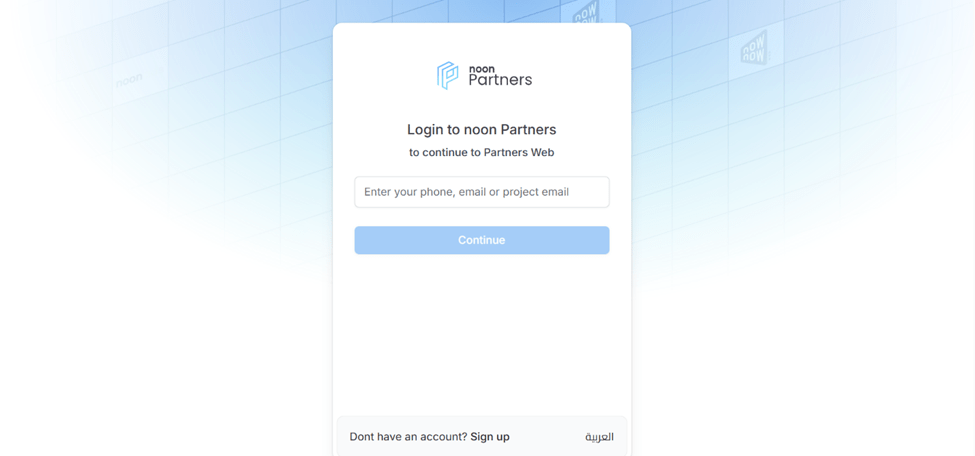
Confirm your mobile phone number via SMS OTP.
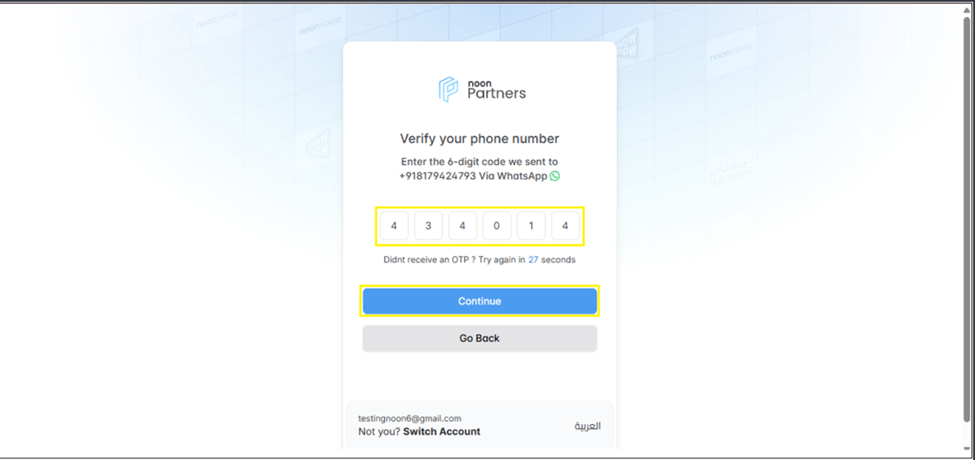
Choose a Project Name for your seller account. This is used internally and not displayed publicly.
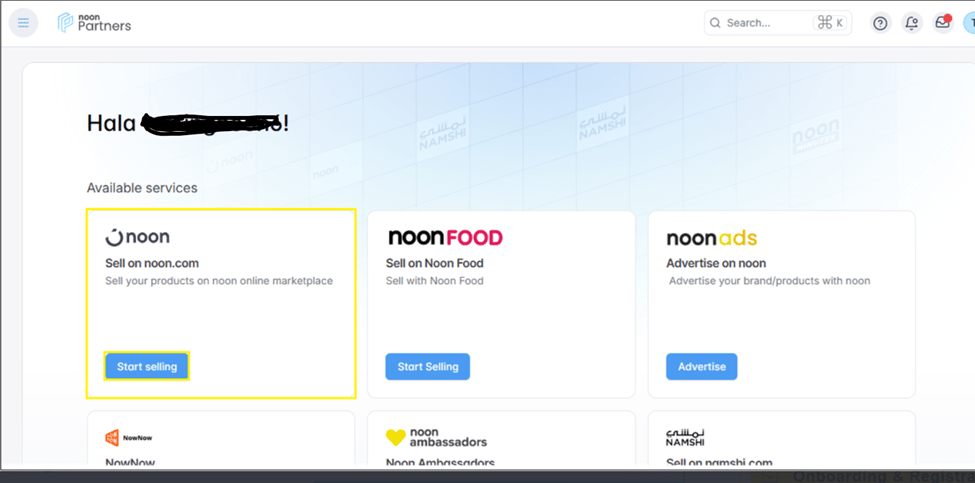
Once completed, Noon will generate your unique Organization ID, which is your gateway to seller tools and dashboards.
Step 2: Set Up Your Noon Store
Once you have your Organization ID:
- Select the country where you want to sell (UAE, Saudi Arabia, or Egypt).
- Enter your store display name (in English and Arabic).
- Provide your business-specific email and phone number.
After submitting these details, Noon will review your store setup and send an approval notification or request further documentation.
3. Brand Registration on Noon.com
One of the most critical steps for selling branded products on Noon is brand registration. Noon only allows products from verified brands to be listed to maintain quality standards and protect both customers and sellers.
What Does Brand Registration Mean?
Brand registration means associating your products with a recognized brand either one you own or one you are authorized to sell. If Noon doesn’t already have the brand in its system, you must register it yourself via the Seller Lab.
This step is compulsory for:
- Sellers are launching their own brand (private label).
- Sellers representing a brand not yet listed on Noon.
Step-by-Step Brand Registration
Here’s how you register your brand on Noon:
- Log in to your Noon seller dashboard.
- Go to the Catalog section and click on Brand Management.
- Use the search bar to check whether your brand already exists in Noon’s database.
- If it does not exist, click “Create Brand”.
- Enter the brand name (in English and Arabic).
- Provide the official brand website link. If none exist, you can use official social media links such as Instagram or Facebook.
- Upload the brand logo. Ensure the logo is clear and properly formatted (often JPEG).
- Submit the request for Noon’s approval.
Once submitted, Noon’s review team will assess your application. If approved, your brand will move from ‘Pending’ to ‘Approved’ in the Brand Management screen.
Tips for Successful Brand Approval
To increase your chances of brand approval:
- Double-check spelling in both English and Arabic.
- Use accurate and official brand materials (logo and website).
- Do not include product names in the brand title.
- Avoid generic placeholders like “NA” in any input field.
- Ensure the brand’s transliteration in Arabic is correct.
These careful steps help prevent rejection, saving time and effort.
The Approval Process Stages
First Stage : Automated Document Verification
- System checks for document completeness and clarity
- Verification against government databases where available
- Initial trademark conflict screening
Second Stage : Human Review
- Dedicated Noon brand managers assess your application
- Evaluation of brand positioning and market fit
- Assessment of product quality through samples or documentation
Third Stage : Category-Specific Review
- Category managers evaluate your products within their specific vertical
- Pricing analysis relative to market averages
- Inventory depth and breadth assessment
Fourth Stage : Final Approval Committee
- Cross-functional team makes final decision
- May request a meeting or product samples
- Final terms negotiation, including commission rates
Brand Approval: What Happens Next?
Once you hit “Submit”, Noon reviews your brand application and checks:
✔ Brand legitimacy
✔ Website and logo authenticity
✔ correct spelling and language formatting
✔ Consistency between brand name and verification links
If approved, your brand becomes usable immediately in product listings. If rejected, the system will show the rejection reason, and you can correct and resubmit.
⚠ Important Note: Once approved, you cannot change the brand name (English or Arabic) without contacting support. If mistakes are found post-approval, you may need Noon’s help to update them.
An Effective Product Listing on Noon.com
Noon offers two primary listing approaches:
- Individual Listings: Manual creation for limited SKUs
- Bulk Uploads: Excel-based templates for large inventories
- API Integration: Automated synchronization for enterprise sellers
Types of Product Listing
Noon distinguishes between two main types of SKUs (Stock Keeping Units):
- Noon SKU (NSKU) – Used for products that are controlled by Noon. Noon manages content and may modify product listings.
- Seller SKU (ZSKU) – Created and fully controlled by the seller. As long as it meets Noon’s listing standards, the seller manages content, pricing, and descriptions.
Listing Step-by-Step Process
Method A: Individual Listing Creation
- Log in to your Noon Seller Portal
- Navigate to “Inventory” > “Add a Product.”
- Search Noon’s catalog to see if your product already exists
- If found, click “Sell This Product” and add your offer
- If not found, click “Create New Product.”
- Enter GTIN/UPC/EAN codes if available
- Select appropriate category (be specific for better visibility)
- Fill in all mandatory fields marked with asterisks
- Upload images following the specifications
- Set pricing and inventory count
- Configure shipping options (weights and dimensions critical)
- Preview and submit for review
Method B: Bulk Listing Upload
- Download the appropriate template from the Seller Portal
- Fill in all columns (missing data causes upload failures)
- Use correct formatting for each field type
- Save as UTF-8 CSV format
- Upload through the “Bulk Upload” tool
- Review errors and correct as needed
- Monitor upload status through the processing queue
Product Go-Live Requirements & Conditions
Simply listing a product does not guarantee immediate sales. To ensure products go live, you must:
✔ Meet Noon’s content quality guidelines
✔ Add price and inventory details
✔ provide a barcode (UPC, EAN, etc.)
✔ for gated brands, be whitelisted and approved
✔ Ensure warehouse approval if using FBP (Fulfillment by Noon)
Optimization Techniques for Maximum Visibility
1. Keyword Strategy
- Research using Noon’s search suggestions
- Analyze competitor listings for keyword ideas
- Include both Arabic and English search terms
- Place primary keywords in the title, the first 100 characters of the description, and the attributes
2. Category Selection
- Choose the most specific subcategory available
- Consider multiple relevant categories if permitted
- Monitor where competitors are listed successfully
3. Optimize Titles
- Include the primary keyword first (e.g., “Wireless Earbuds Bluetooth”).
- Add brand name, model, and core features.
- Capitalize each main word for readability.
4. Use High-Quality Images
- Use clear, high-resolution photos from multiple angles.
- Include lifestyle or usage shots.
5. Rich Descriptions
- Write a clear description with keywords your customers use.
- Highlight features and benefits, not just specs.
Common Listing Mistakes to Avoid
- Inaccurate Inventory Counts: Results in cancellations and penalties
- Poor Quality Images: Blurry or dark images reduce conversions
- Missing Arabic Content: Limits reach in key markets
- Incorrect Categorization: Makes products hard to find
- Overpricing Without Justification: Customers compare aggressively
- Incomplete Specifications: Leads to returns and negative reviews
- Ignoring Seasonality: Not adjusting for regional shopping patterns
Common Challenges & How to Avoid Them
Brand Rejection: If your brand application is rejected:
- Review spelling and transliterations.
- Ensure your website and logo are authentic.
- Use official brand assets only.
Listing Rejections
Poor quality content, missing fields, or incorrect categorization can lead to rejected listings. Always double-check all required fields before submission.
Fulfillment Options
- Fulfillment by Noon (FBN): Higher visibility, customer trust, and handling of logistics
- Merchant Fulfilled: Maintain control but requires robust logistics capability
- Hybrid Approach: Use FBN for fast-moving items and self-fulfill for others
Conclusion: Building Long-Term Success on Noon.com
Establishing a successful presence on Noon.com requires careful planning at each stage: brand registration, approval, and listing optimization. The platform offers unprecedented access to the rapidly growing Middle Eastern e-commerce market, but success demands understanding regional nuances, maintaining high-quality standards, and continuously optimizing based on performance data.
Remember that Noon values partners who contribute to their ecosystem’s growth and customer satisfaction. By focusing on providing genuine value to Middle Eastern consumers, maintaining excellent operational standards, and leveraging Noon’s tools and insights, your brand can achieve significant growth in one of the world’s most promising digital markets.
The journey from brand registration to first sale typically takes 4-8 weeks, but the foundation you build during this process will support long-term success. Start with a focused selection of your best products, demonstrate consistent performance, and gradually expand your presence as you build a reputation and understanding of this unique marketplace.
With the Middle East’s e-commerce sector growing at twice the global average, there has never been a better time to establish your brand on Noon.com. Follow this comprehensive guide, remain adaptable to market feedback, and commit to excellence in customer experience to build a thriving business on the region’s premier digital marketplace.