
You’re spending hours every week doing the same repetitive tasks copying data between apps, sending emails, and updating spreadsheets. AI Automation with n8n: How to Automate Your Entire Workflow shows how you can automate all of this without writing a single line of code. With n8n and AI, you can connect hundreds of apps, create intelligent workflows, and let automation handle the busywork while you focus on what actually matters.
What is n8n and How Does AI Automation Work?
n8n is an open-source workflow automation platform that connects your favorite apps and services. Unlike traditional automation tools, n8n gives you real power you can build complex workflows without needing a technical team.
Here’s the simple version: you set up a trigger (like “when a new customer signs up”), add some actions (“send them a welcome email” and “add them to your CRM”), and n8n does the rest automatically. It’s that straightforward.
When you add AI into the mix, things get really interesting. AI can read customer emails and categorize them, summarize support tickets, generate content, or even make decisions about which action to take next. n8n’s AI nodes let you use ChatGPT, Claude, and other models directly in your workflows, so your automations become intelligent.
Why Your Business Needs AI Automation Right Now
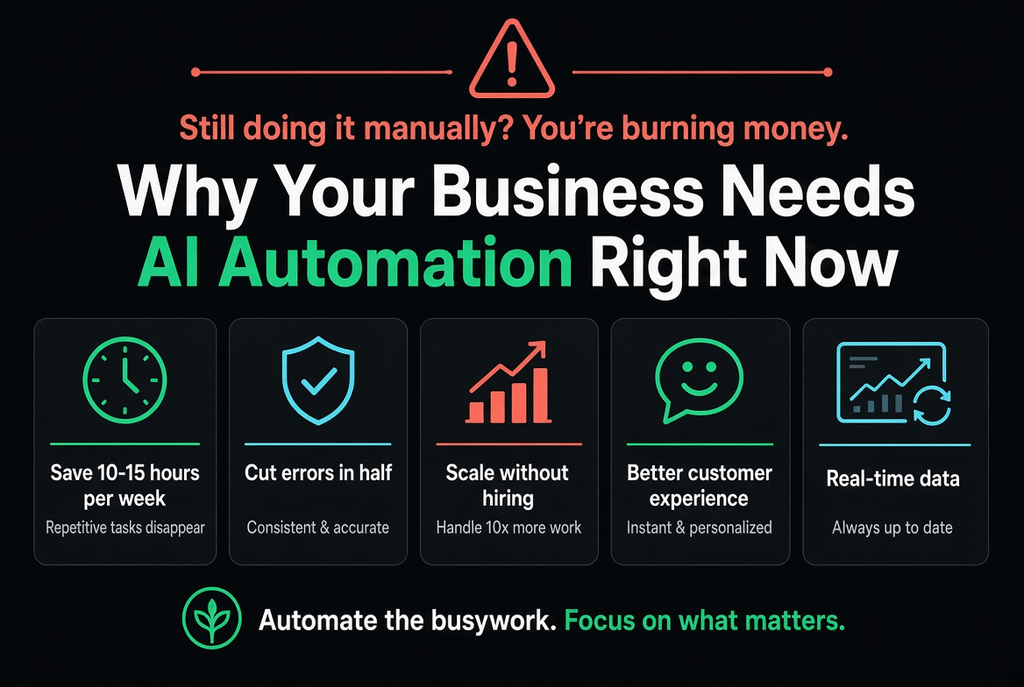
If your team is still managing tasks manually, you’re burning money. Here’s what happens when you implement AI automation:
- Save 10-15 hours per week: Repetitive tasks disappear. Your team actually has time for strategic work.
- Cut errors in half: Automation is consistent. It doesn’t get tired or make typos.
- Scale without hiring: Process 10x more customers without adding staff.
- Better customer experience: Instant responses, personalized emails, faster service.
- Real-time data: Your CRM, spreadsheets, and dashboards always stay current.
Real-World Examples of n8n in Action
Let’s talk about what’s actually possible:
E-Commerce Store Automation
When someone places an order on Shopify, n8n automatically: adds their info to your email list, sends a personalized thank you email with next-steps, updates your inventory in real time, creates an invoice in your accounting software, and notifies your warehouse management system. All without anyone lifting a finger.
Customer Support Automation
AI scans incoming support emails, categorizes them by urgency, summarizes them for your team, assigns them to the right person, and sends a helpful auto-response immediately. Meanwhile, the workflow escalates critical issues in Slack, so nothing falls through the cracks.
Sales Pipeline Automation
A lead fills out your contact form.Instantly, the system adds them to your CRM, sends a personalized follow-up email based on their interests, enrolls them in a nurture sequence, and notifies your sales team in Slack. The whole process takes seconds.
Key Features That Make n8n Special
You might wonder: why n8n instead of Zapier or Make? Here’s what sets it apart:
| Feature | n8n | Zapier |
| Self-hosted option | ✓ Yes | ✗ Cloud only |
| Cost for high volume | ✓ Much cheaper | ✗ Expensive |
| Built-in AI nodes | ✓ Yes | ✗ Limited |
| Custom code | ✓ Full support | ✓ Limited |
Getting Started with n8n: Your First Workflow
You don’t need to be technical. Here’s how to build your first n8n workflow in 5 minutes:
- Sign up on n8n.io (they have a free tier to get started)
- Click ‘Create workflow’ and choose your trigger (Gmail, Slack, Shopify, form submission, etc.)
- Add actions using pre-built nodes—search for the app you want to connect
- Test the workflow with a real trigger
- Activate it and let it run
That’s it. No coding required. If you want to do something more complex, n8n supports custom code in JavaScript, Python, and other languages—but you’ll be surprised how much you can do without ever touching code.
The Most Powerful n8n + AI Combinations
Automated Content Generation
When you publish a blog post, n8n uses AI to automatically create social media posts, write email descriptions, generate alt text for images, and post everything to your social channels. Your content calendar goes on autopilot.
AI-Powered Lead Qualification
When prospects submit your contact form, AI reads their message and assigns them a score. Hot leads get instant calls from your sales team, while others enter a nurture sequence. No more wasting time on bad leads.
Intelligent Document Processing
When invoices arrive in your email, n8n extracts the important data (amount, vendor, date), flags suspicious invoices, routes them to the right person, and updates your accounting software automatically.
Pricing That Makes Sense
n8n’s pricing model is refreshingly honest. You’re not paying per workflow or per integration—you’re paying for the computational resources your workflows actually use. For most small businesses, that means $25-50/month. Heavy users might spend more, but you’ll only pay for what you use.
There’s also a completely free self-hosted version if you want to run it on your own servers. Lots of companies do this for sensitive operations or to avoid recurring costs.
Frequently Asked Questions About n8n and AI Automation
Is n8n secure? Can I use it for sensitive data?
Yes, absolutely. n8n offers multiple security options: cloud hosting with encryption, self-hosted deployment for maximum control, and compliance with GDPR, SOC 2, and other standards. Enterprise customers can deploy n8n on their own infrastructure with air-gapped systems if needed.
Do I need coding skills to use n8n?
Not at all. Most workflows can be built using the drag-and-drop interface and pre-built nodes. However, if you need advanced logic, n8n supports JavaScript, Python, SQL, and other languages. You can mix no-code and code depending on what you need.
How many apps can n8n connect to?
Over 400 integrations are available out of the box. If an app isn’t there, you can use webhook nodes to connect to any API or build a custom integration. Most common business apps are already supported: Gmail, Slack, Salesforce, HubSpot, Shopify, Stripe, Airtable, Google Sheets, and hundreds more.
What’s the difference between n8n and Zapier?
Zapier is more beginner-friendly and has a larger app library. n8n is cheaper for high-volume automation, offers self-hosting, has better AI integration, and gives you more power for complex workflows. Choose Zapier if you want the easiest path; choose n8n if you want flexibility and cost control.
Can n8n work offline or without internet?
If you self-host n8n on your servers, yes—you can run workflows without depending on cloud services. However, if any of your connected apps require internet access (like Slack or Gmail), n8n will still need to reach those services.
How much can I save with n8n automation?
Savings depend on your situation, but here’s a realistic example: if one employee spends 10 hours per week on repetitive tasks at $25/hour, that’s $1,000/week or $4,000/month. n8n might cost $50/month. The ROI is almost instant. For teams handling thousands of transactions monthly, savings can reach tens of thousands annually.